
Start
Install & activate
Your license is a key tied to your Discord role and to one PC. Here's how to get it running, and how to move it.
Download
- Open your dashboard and Continue with Discord. If you hold the Member role, your key is there.
- Press Download SentinelAIO.exe and put it in its own folder — it keeps its data in a
datafolder beside it. - Run it. You only download once: after this the app updates itself.
Missing WebView2? The app draws its window with Microsoft Edge WebView2. Windows 11 already has it; on a PC without it, the app offers to download and install it the first time you open it.
Activate
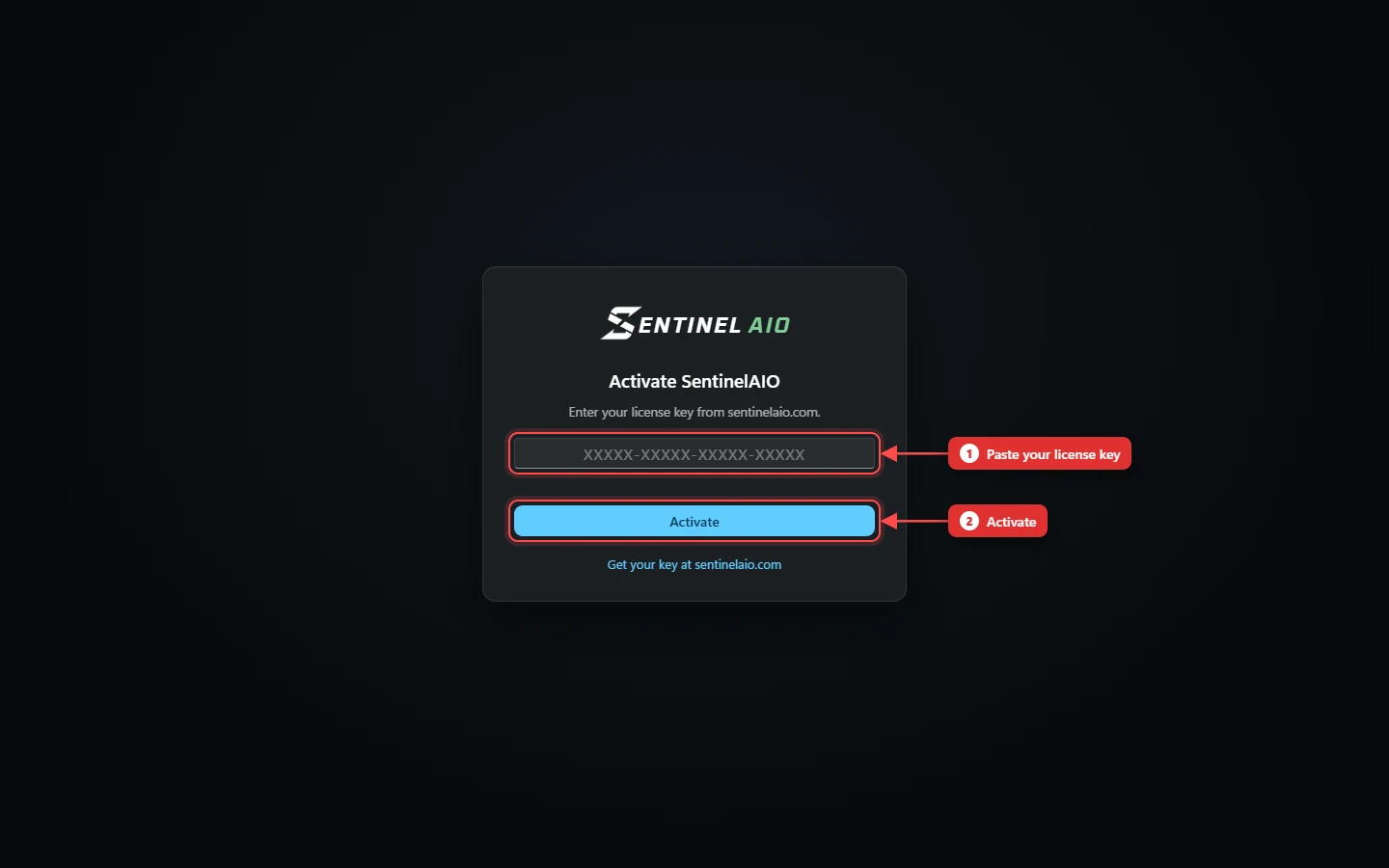
On first launch, paste the key from your dashboard (it looks like XXXXX-XXXXX-XXXXX-XXXXX) and press Activate.
One key, one PC
The first PC to activate a key is bound to it. The same key on another PC is refused with "This key is in use on another PC".
Moving to another PC
- On your dashboard, press Reset License.
- Paste your key into the app on the new PC.
- The app on your old PC stops working. To use it there again, type the key in on it.
Keep your key private. It's tied to your Discord account. If it leaks, press New key on your dashboard — the old one stops working at once.