Start
Quick start
Five steps from a fresh download to a task that's armed and waiting. Each step links to its full page when you want the detail.
- ActivateDownload, paste your key.
- Add RPCsWhere transactions go.
- Add walletsThe wallets that mint.
- Build a taskThe drop and your gas.
- Run itNow, or on a trigger.
1. Download and activate
Sign in on your dashboard with Discord, download SentinelAIO.exe, run it, and paste the license key shown on the same page.
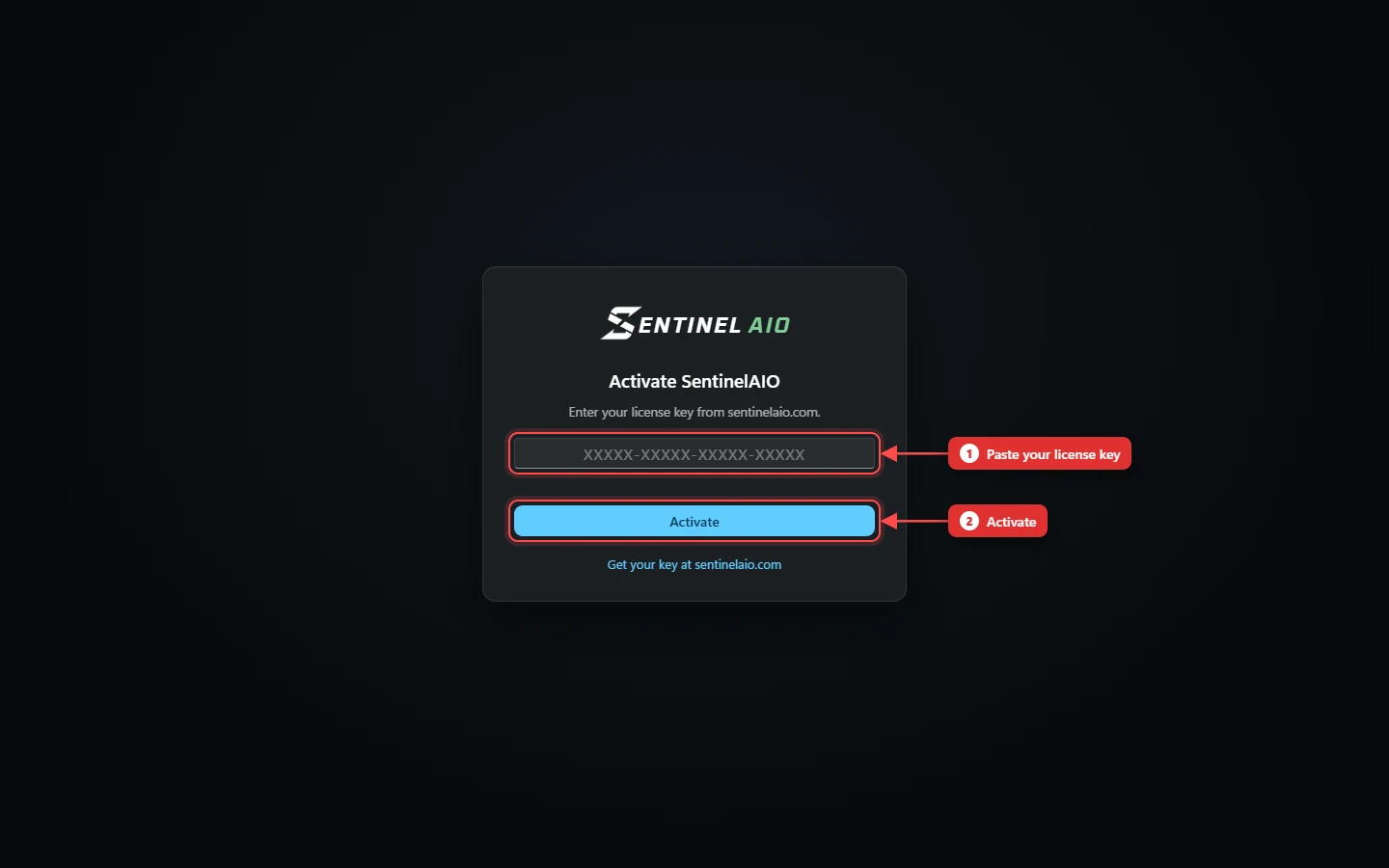
More: Install & activate.
2. Add your RPCs
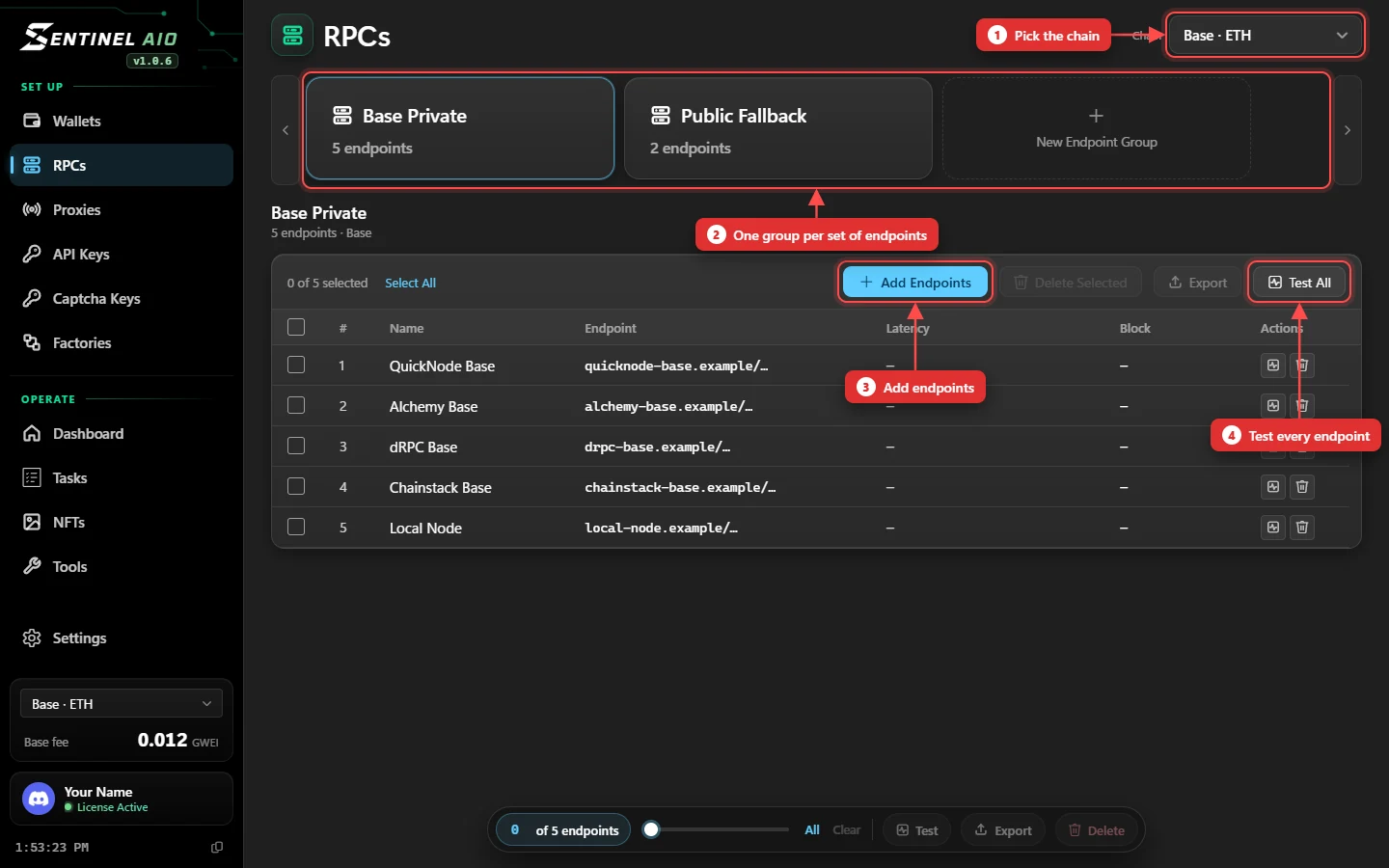
Open RPCs, pick the chain, create a group and paste your endpoints — one per line. Press Test All to see how fast and how current each one is.
3. Add wallets
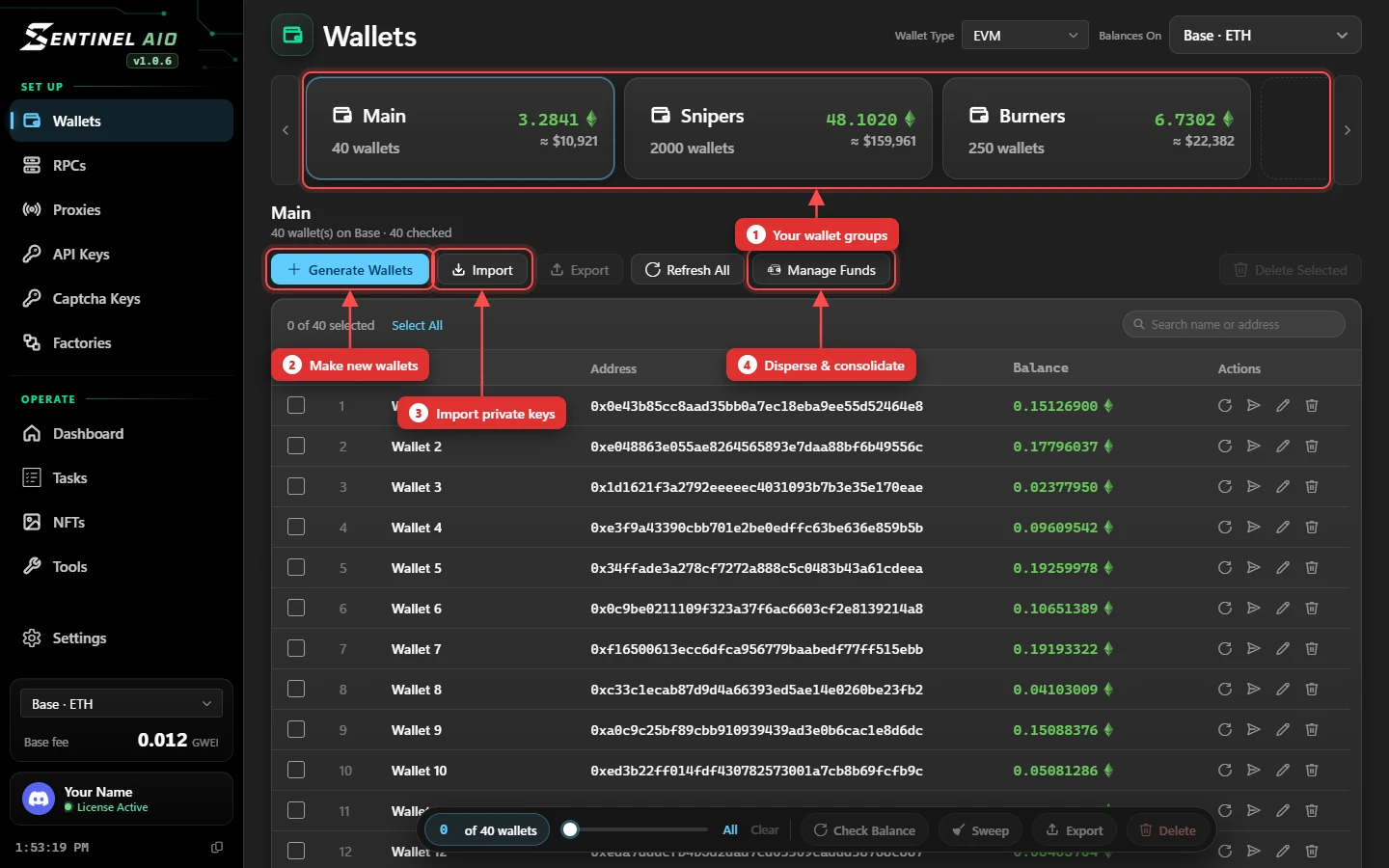
On Wallets, make a group, then Generate Wallets for fresh ones or Import keys you already have. Fund them with Manage Funds → Disperse.
4. Build a task
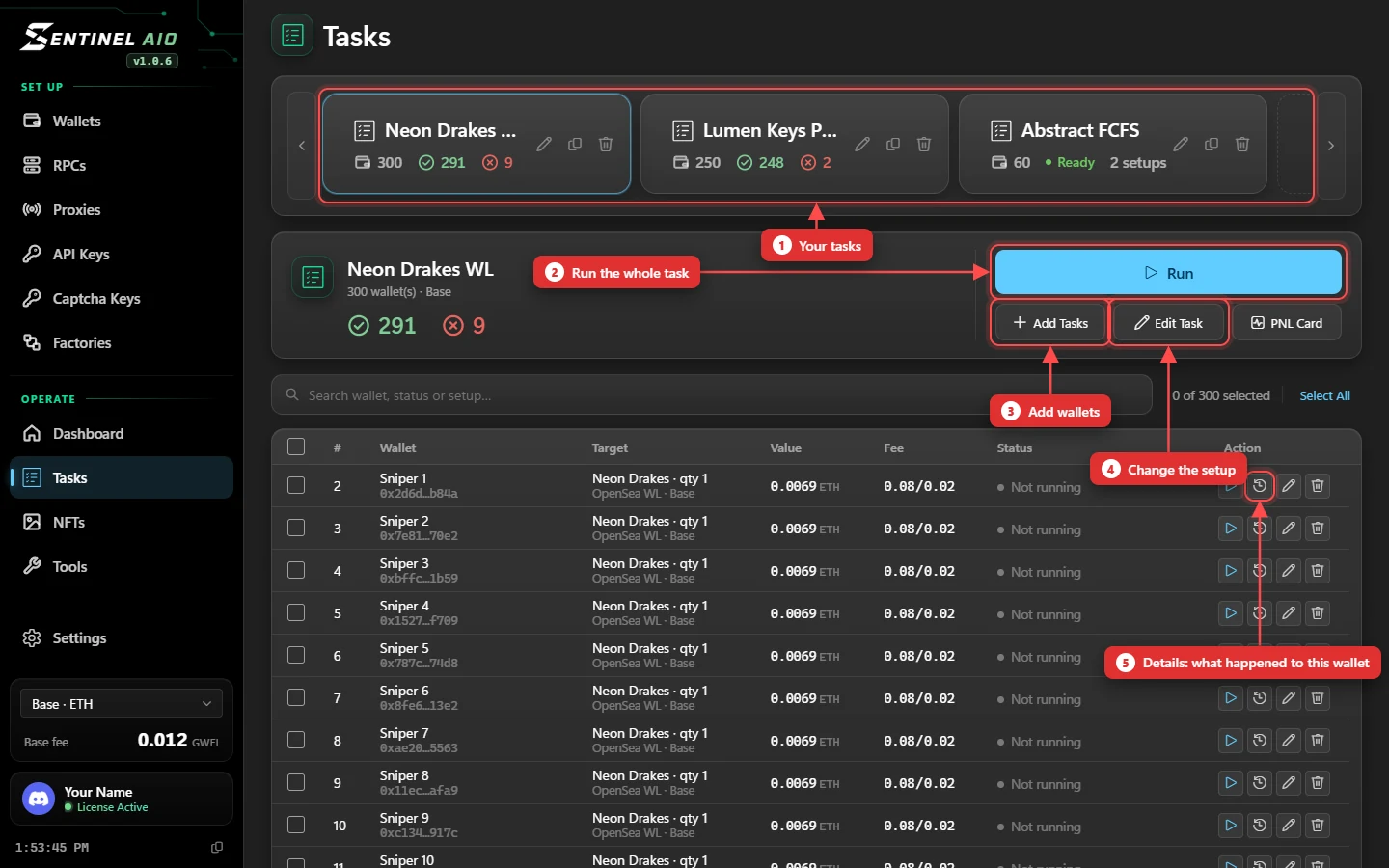
On Tasks, create a task card, then Add Tasks: pick the platform, the chain and RPC group, your wallets, the drop, your gas and the fire mode.
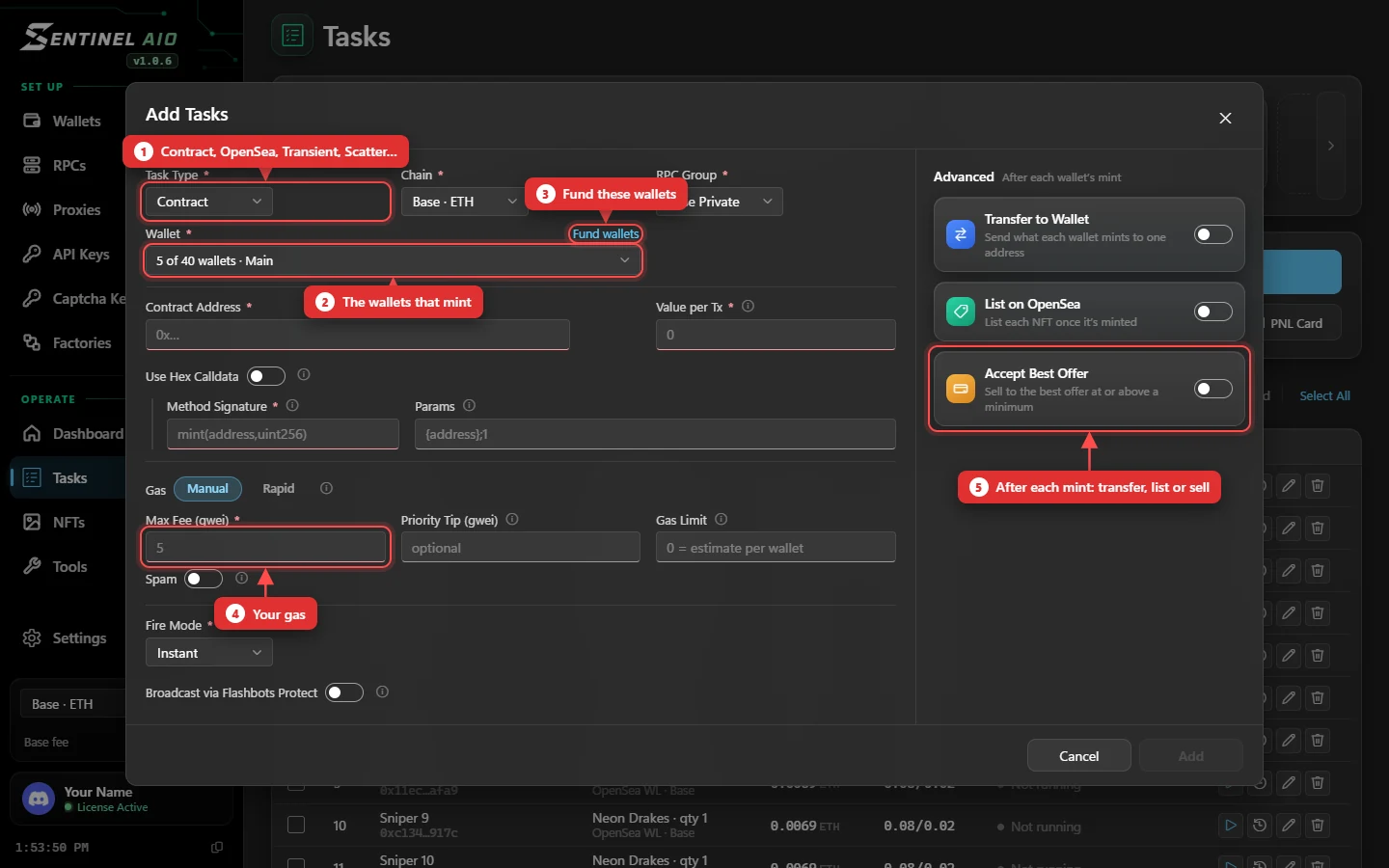
More: Setting up a task and Fire modes & gas.
5. Run it
Press Run. An Instant task sends instantly; a Timestamp or Monitor task arms and waits, and every wallet's row shows what it's doing until it lands.