
Tools
WL Checker
Which of your wallets are on a drop's allowlist, in which phase, and for how many mints — before you build the task.
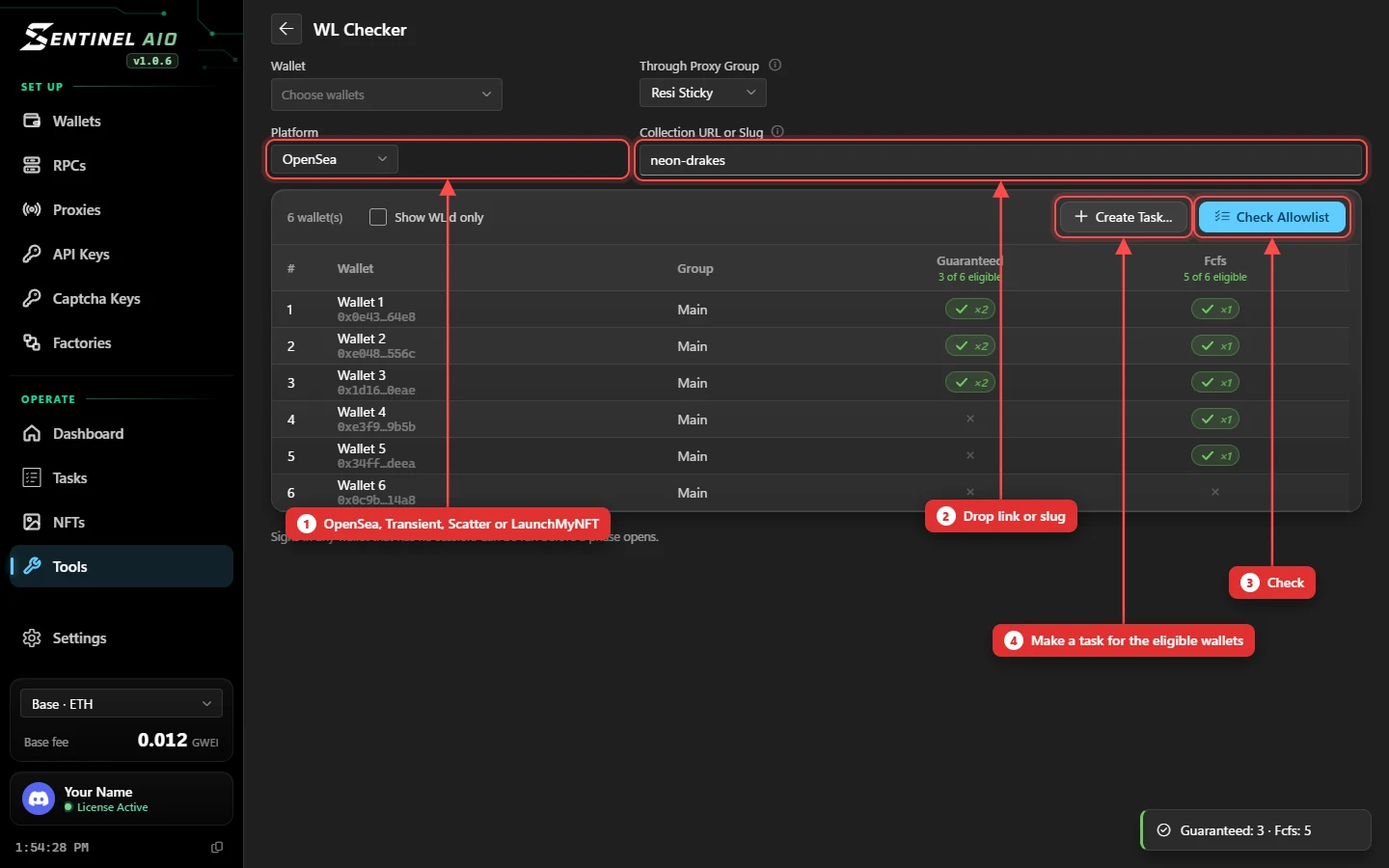
Checking a drop
- Open Tools → WL Checker.
- Pick the platform — OpenSea, Transient, Scatter or LaunchMyNFT — and paste the drop link or slug.
- Choose your wallets and a proxy group, then Check Allowlist.
Reading the results
One column per allowlist phase, with how many of your wallets are eligible. A tick with ×2 means that wallet may still mint two in that phase. Show WL'd only hides the wallets on no list.
- On OpenSea each answer is that wallet's own — not the OpenSea account it's linked to — so a wallet only shows eligible if it can mint itself.
- A dimmed tick with ×0 means listed, but already minted its allowance.
- A clock means the phase's list isn't published yet — check again closer to the drop.
- Hover a mark for the detail: how many minted, how many left, the price.
Make a task from it
After an OpenSea check, Create Task… builds the allowlist task for you.
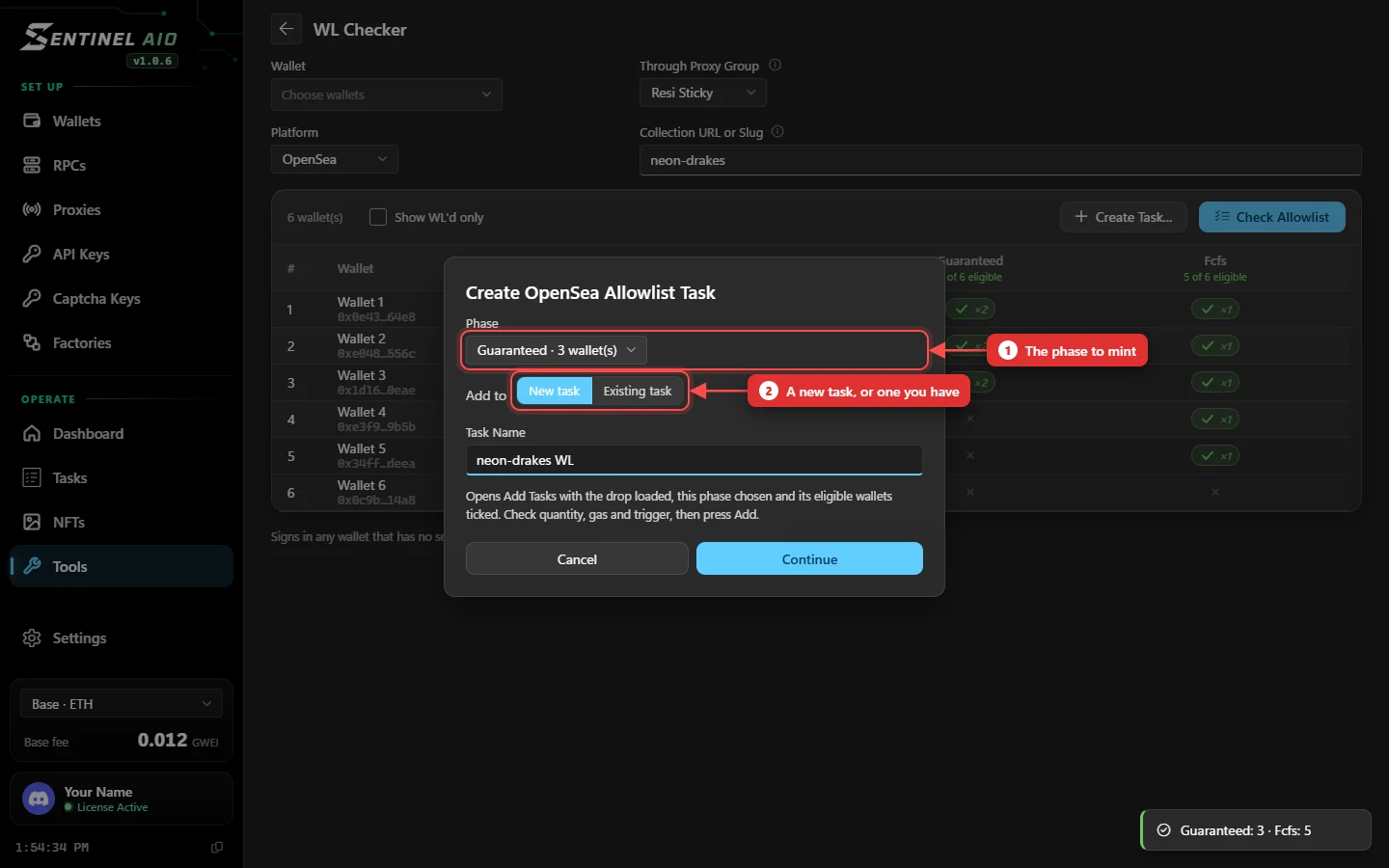
- Pick the phase — each shows how many of your wallets are on it.
- Add to a New task (name it) or an Existing task.
- Press Continue: Add Tasks opens with the drop loaded, the phase chosen and its eligible wallets ticked. Check quantity, gas and trigger, then Add.
Good to know
- A proxy group is required for OpenSea, Transient and Scatter: the checks go through your proxies, not your own IP.
- LaunchMyNFT checks your Solana wallets against the drop's published lists — no proxies, no sign-in. It needs a Solana RPC group.
- On OpenSea, wallets without a session are signed in to check — so it doubles as a head start for the drop.
- It can run before a phase opens.
- Building an OpenSea allowlist task? Keep WL'd only in the task form does this for the wallets you picked and unticks the rest. See Platforms.