
Prepare
Manage funds
Move coins and tokens between your wallets: fund many from one, or gather many into one. Open it with Manage Funds on the Wallets page.
Disperse: one wallet funds the others
One transaction pays every recipient, through the chain's disperse contract.
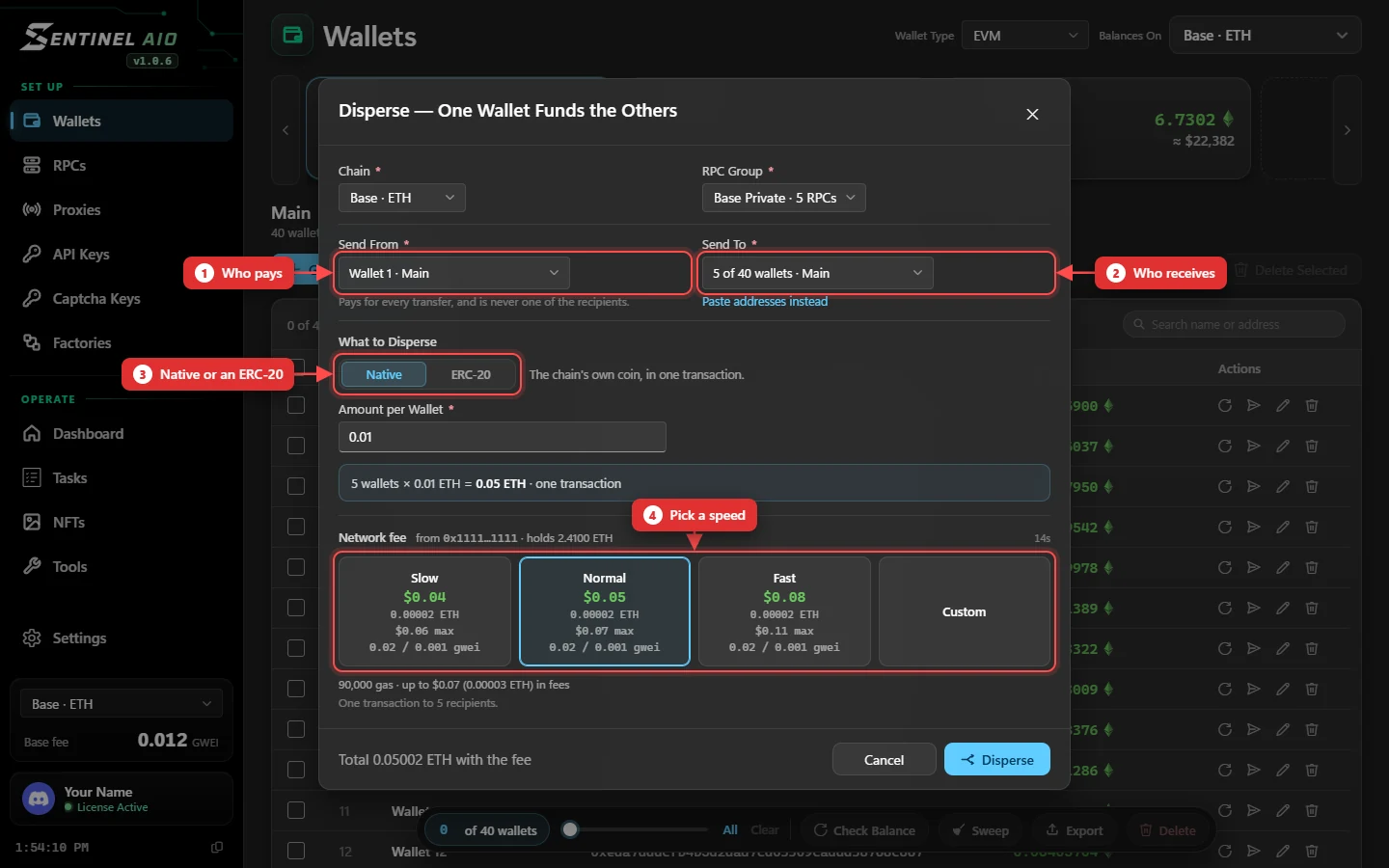
- Pick the wallet that pays, and who receives — wallets, or pasted addresses.
- Choose Native or ERC-20 (paste the token's contract), and the amount per wallet.
- Pick a speed on the fee card, and press Disperse.
Funding a task's wallets? Press Fund wallets beside the Wallet field in the task form — Disperse opens with those wallets already ticked. See Setting up a task.
ERC-20 needs an approval first. When the disperse contract isn't allowed to spend enough of the token yet, the button says Approve and the fee card prices the approval. Tick Unlimited to approve once for every future disperse of that token. Once it lands, the button turns back into Disperse.
Consolidate: sweep wallets into one
Every source wallet sends its whole balance to one destination, each in its own transaction. For the native coin it leaves just enough behind to pay its own fee; a wallet that can't cover the fee is skipped.
Sweep from the Wallets page
Tick wallets and press Sweep in the selection bar — the same thing, for the wallets you've ticked.
On Solana
Native SOL only, for now. Disperse sends one transfer per recipient instead of one transaction for all. Consolidate and Sweep work as above.
For NFTs, use NFTs → Transfer.