
Account
Settings
The app-wide settings, in Settings at the bottom of the sidebar.
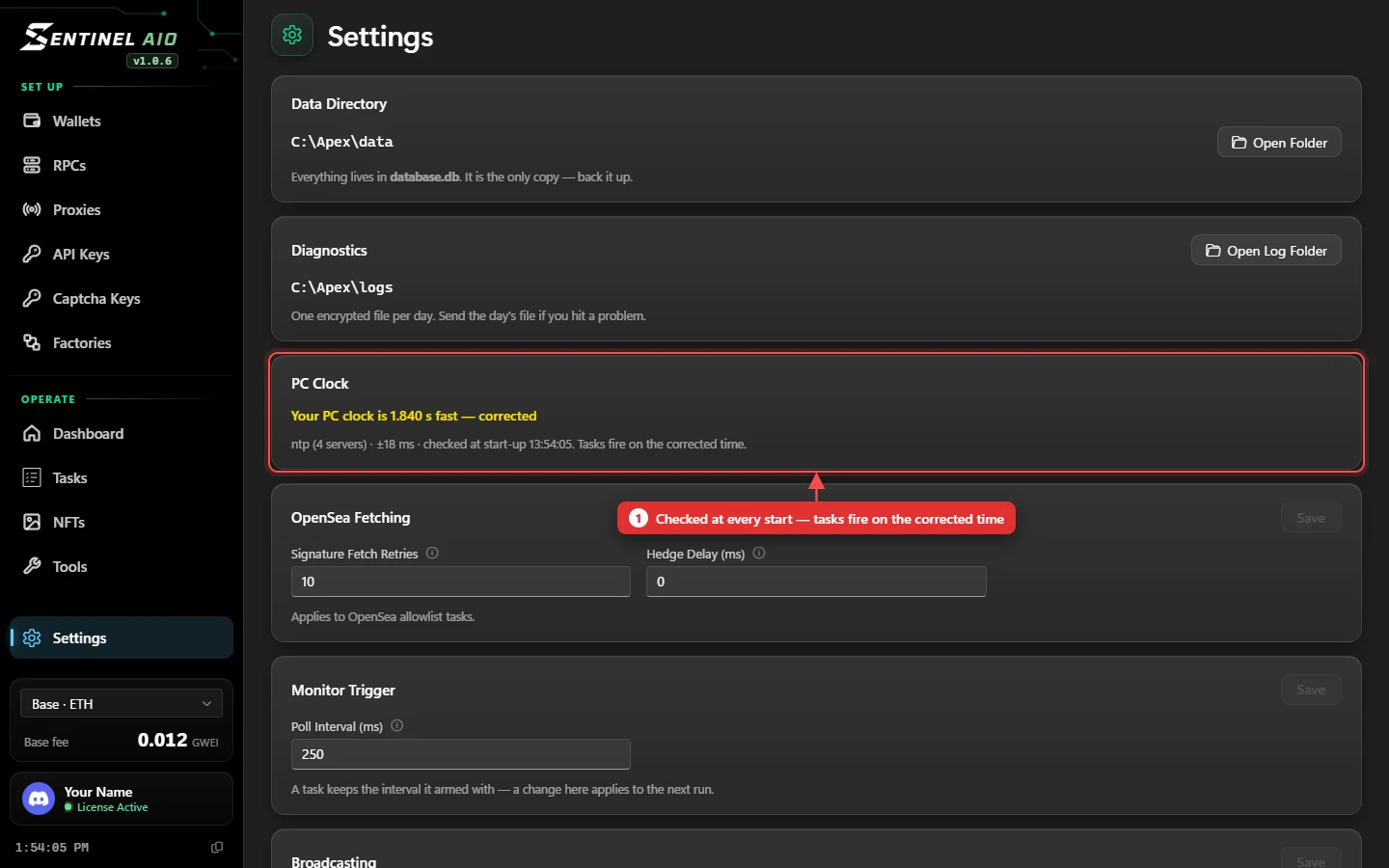
PC Clock
A drop opens on true time, not your PC's. A PC a second or two off fires before the phase exists — and is refused — or after the mint is gone.
- Every time SentinelAIO starts, it checks your PC's clock against internet time servers, allowing for the network delay.
- From then on, every task fires on the corrected time — and the countdowns and the sidebar clock show it.
- The card says In sync, or how far off your PC is — Your PC clock is 1.840 s fast — corrected.
Your Windows clock isn't changed — only the app corrects for it. If the card says it couldn't reach a time server, the PC clock is used as it is.
The rest
| Data Directory | Where everything is kept. database.db is the only copy — back it up. |
|---|---|
| Diagnostics | The log folder: one encrypted file per day. Send the day's file if you hit a problem. |
| OpenSea Fetching | Signature Fetch Retries — tries per wallet at the phase (min 3). Hedge Delay — 0 races sticky and rotating proxies together. |
| Monitor Trigger | How often a Monitor task checks whether the mint is open. |
| Broadcasting | Re-read a nonce that went stale while armed, and skip past stuck mempool transactions. |
| Discord Webhook | Run summaries in your channel — see Discord Webhook. |
| Appearance | Theme and accent colour. |