
After the mint
NFTs
See what your wallets hold of any collection, move it, and list or sell it on OpenSea.
Seeing your NFTs
- Pick the chain and RPC group, paste the NFT contract, and choose your wallets.
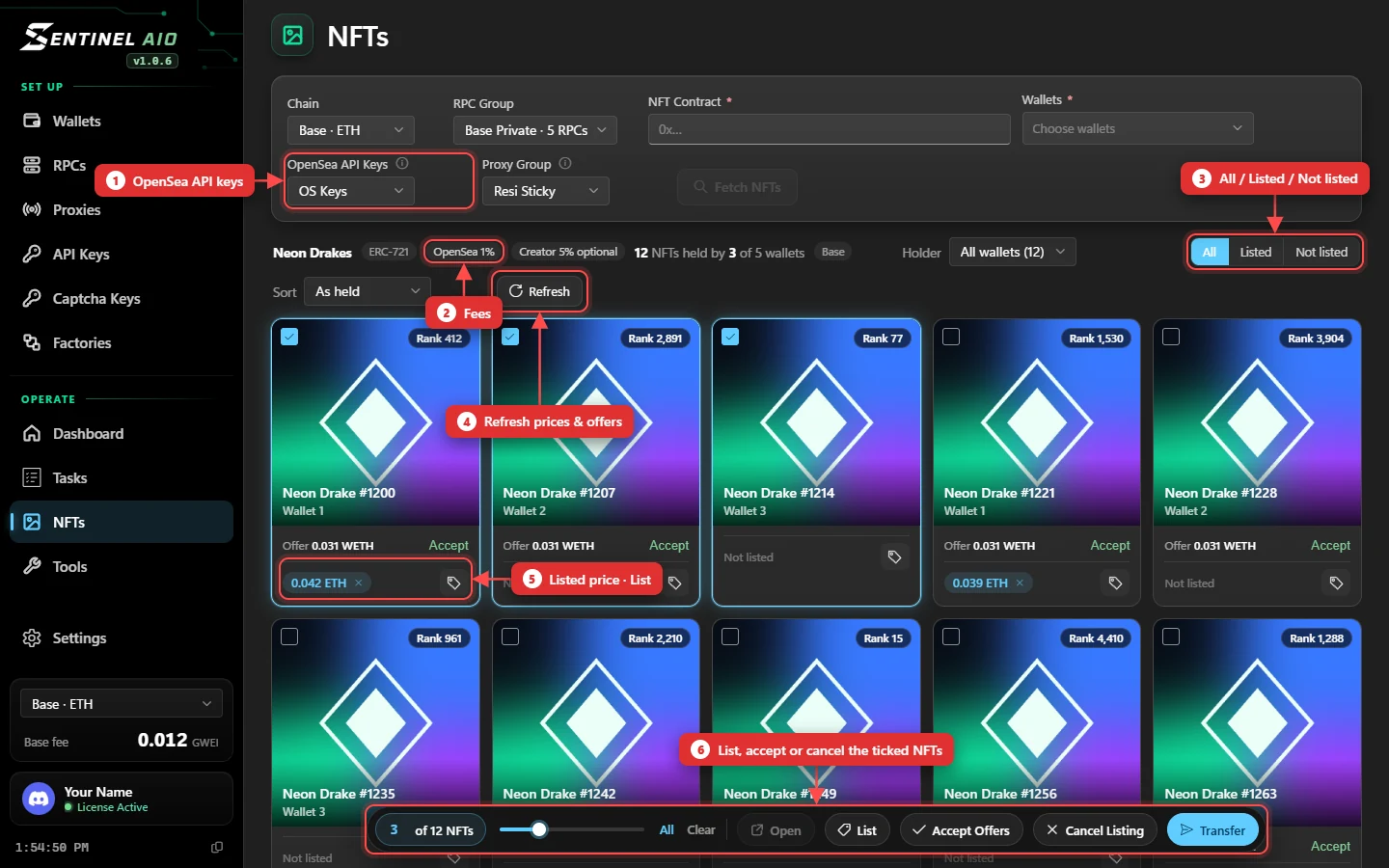
- Press Fetch NFTs. Each card shows the picture with its name and the wallet holding it over it. The cards appear first; the pictures fill in as they load.
- Filter by holder, tick NFTs, and use the bar at the bottom: Open, List, Accept Offers, Cancel Listing or Transfer.
On OpenSea
Pick OpenSea API Keys and a Proxy Group at the top of the page once — every listing, cancel and offer on the page uses them. Then each card shows:
- Rank — its rarity rank in the collection, like Rank 412.
- Offer — its best offer, with an Accept button, or No offer.
- Listed price with a × to cancel, or Not listed — and the tag button to list it.
After the collection name, two pills show OpenSea's fee and the creator's (required, or optional). Use All / Listed / Not listed and Sort (token ID, rarest first, cheapest first) to find what you want, and Refresh to read prices and offers again.
Listing
Press the tag on a card to list one NFT, or tick several and press List.
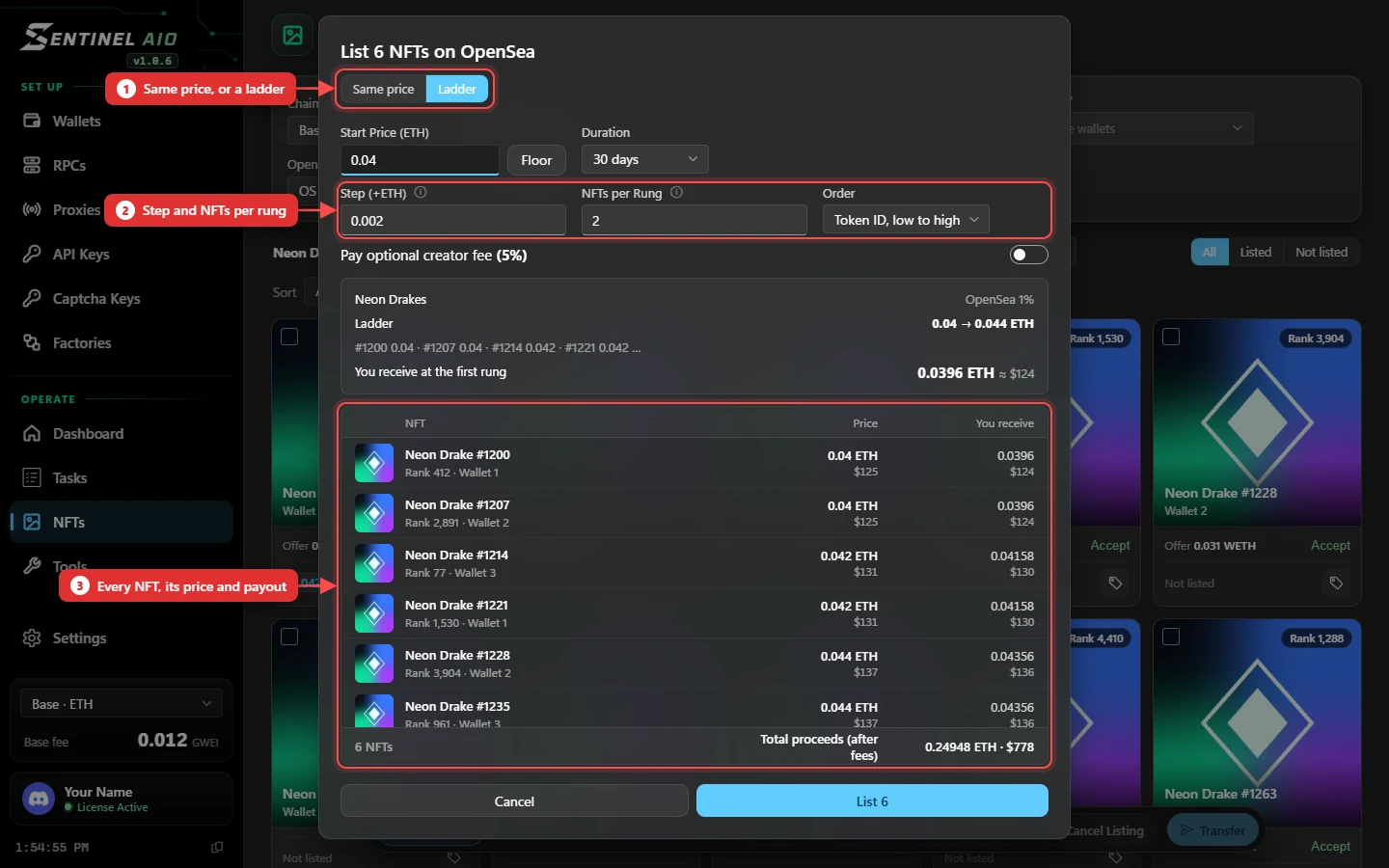
- Same price lists them all at one price. Floor fills in the collection's floor.
- Ladder starts at a price and adds a Step every NFTs per Rung — by token ID, or rarest priced highest.
- Duration is how long the listings stay up, from 1 to 180 days.
- Pay optional creator fee appears when the collection has one; it's off unless you turn it on.
- The preview lists every NFT with its price and what you receive after fees, each with its $ value, and the total proceeds after fees.
- Prices are in the collection's own currency: ETH, or a token such as USDG for a collection OpenSea prices in it. The dialog uses whichever the collection does.
Listing is free. The first time a wallet lists from a collection it sends one approval transaction (gas only) — or approve every wallet at once with Approve OpenSea (N) at the top of the page.
Cancelling
Press × on a listed price, or tick NFTs and press Cancel Listing. Cancelling is free — no transaction.
Accepting offers
Press Accept on a card, or tick NFTs and press Accept Offers. The preview shows the offer each NFT will sell into and what you receive.
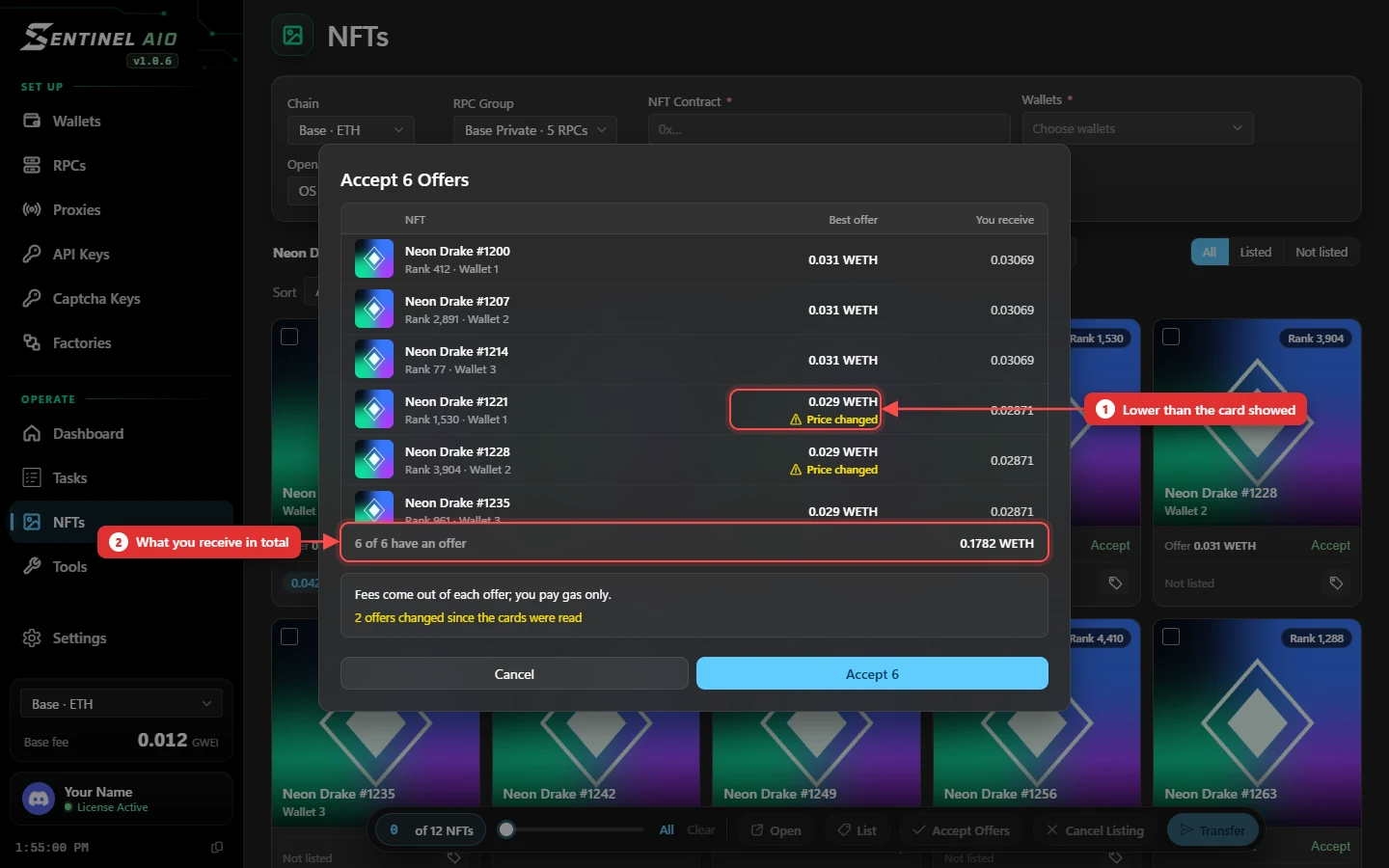
- Several NFTs share the collection's offers: when the best one runs out, the next NFTs get the next-best offer. The preview shows exactly which.
- A yellow Price changed marks an offer that isn't what its card showed — check those before you accept.
- Each NFT sells only at the price in the preview or better. If its offer was cancelled or dropped in the meantime, that NFT isn't sold.
- Fees come out of the offer, and the wallet selling pays the gas. A wallet's NFTs sell together in as few transactions as possible — one for up to 30 NFTs — with any that can't go one by one.
- Offers can be in WETH or in the collection's token (USDG, say); each row says which.
Watching it run
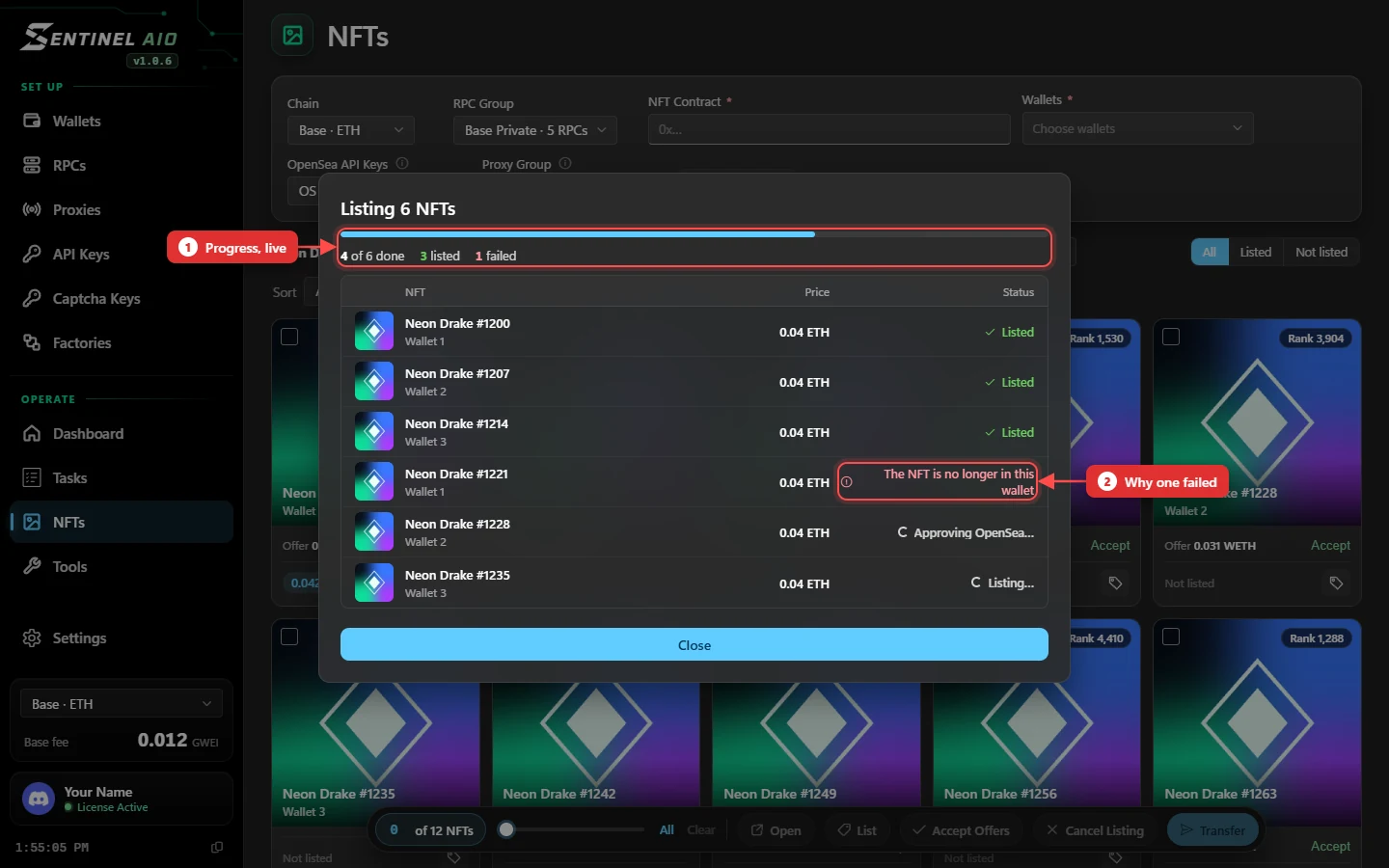
Once you list, cancel or accept, the dialog becomes a live summary: a bar and counts at the top, and a row per NFT that turns to Listed, Cancelled or Sold — or, if it failed, says why.
Transfer: to one wallet
To One Wallet sends everything you ticked to one wallet or pasted address — the way to gather a collection in one place.
Transfer: disperse
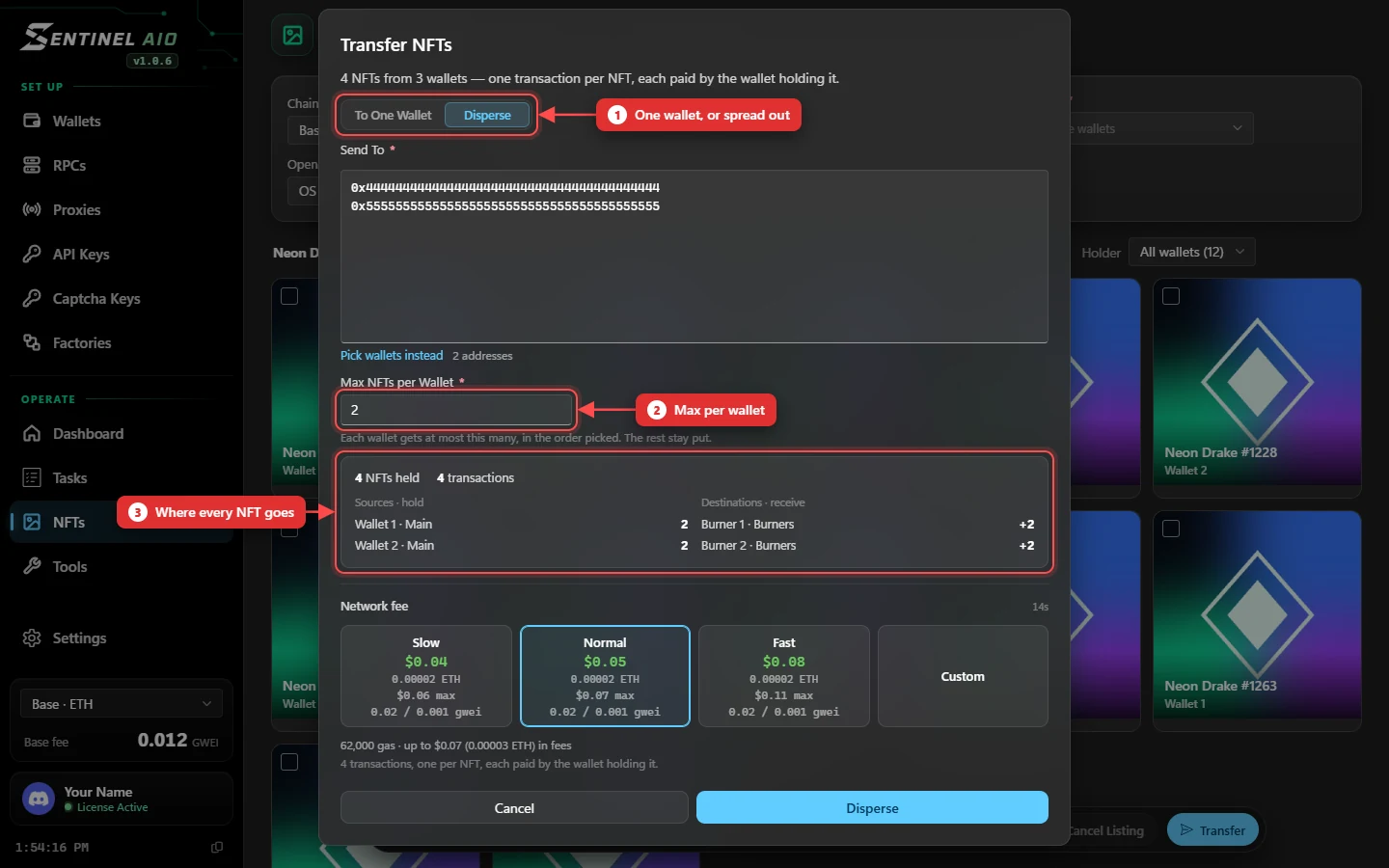
Disperse spreads the ticked NFTs across several wallets or pasted addresses, up to Max NFTs per Wallet each. The first destination fills up first, then the next; any over the limit stay where they are.
On Solana
Pick Solana as the chain and paste the collection address. Core NFTs (what LaunchMyNFT mints) are supported. A collection that is frozen can't be moved, and the app says so before sending.
Transfer fees
Each NFT is its own transaction, paid by the wallet holding it. The fee card prices a real transfer. A wallet that can't pay for all of its transfers sends what it can afford; the rest are listed as skipped in the results.