
Mint
Tasks
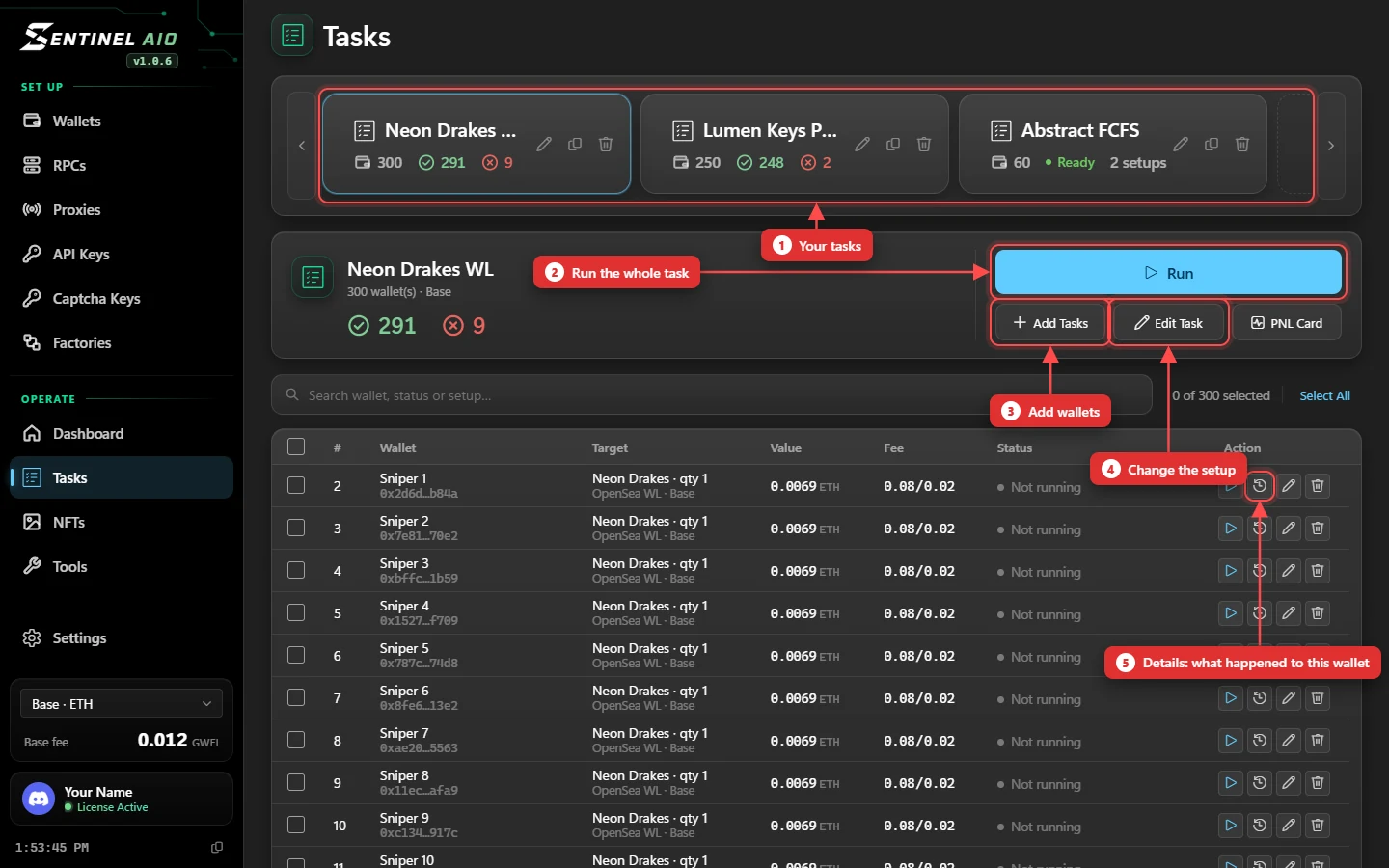
A task card is a saved setup: which drop, which wallets, what gas, and when to fire. You build it once and run it whenever you're ready.
Cards
- The strip at the top holds your tasks, with how many wallets each has and its last run's successes and failures.
- Rename, duplicate or delete from the card itself. A BUNDLE tag means it fires through a factory.
- Choose EVM or Solana when you create the card — EVM by default. EVM cards can also be made a bundle. A Solana card says SOLANA.
Rows: one per wallet
Each row is one wallet with its own copy of the setup — so wallets on one card can differ. Each row shows its target, the value it sends per transaction, its fee and a live status: Monitoring…, a countdown like Waiting 1h5m4s, Confirming…, then a tick or a cross.
- Success in #block or Failed in #block link to the transaction.
- A wallet that never sent says why: Fetch failed, Not enough funds, Gas too low, Nonce error and so on. Hover it for the full error.
- When OpenSea refuses a mint, the row gives OpenSea's own reason: Not eligible for this stage (another phase is live), Qty over allowance, No mints left, Drop not minting.
Details
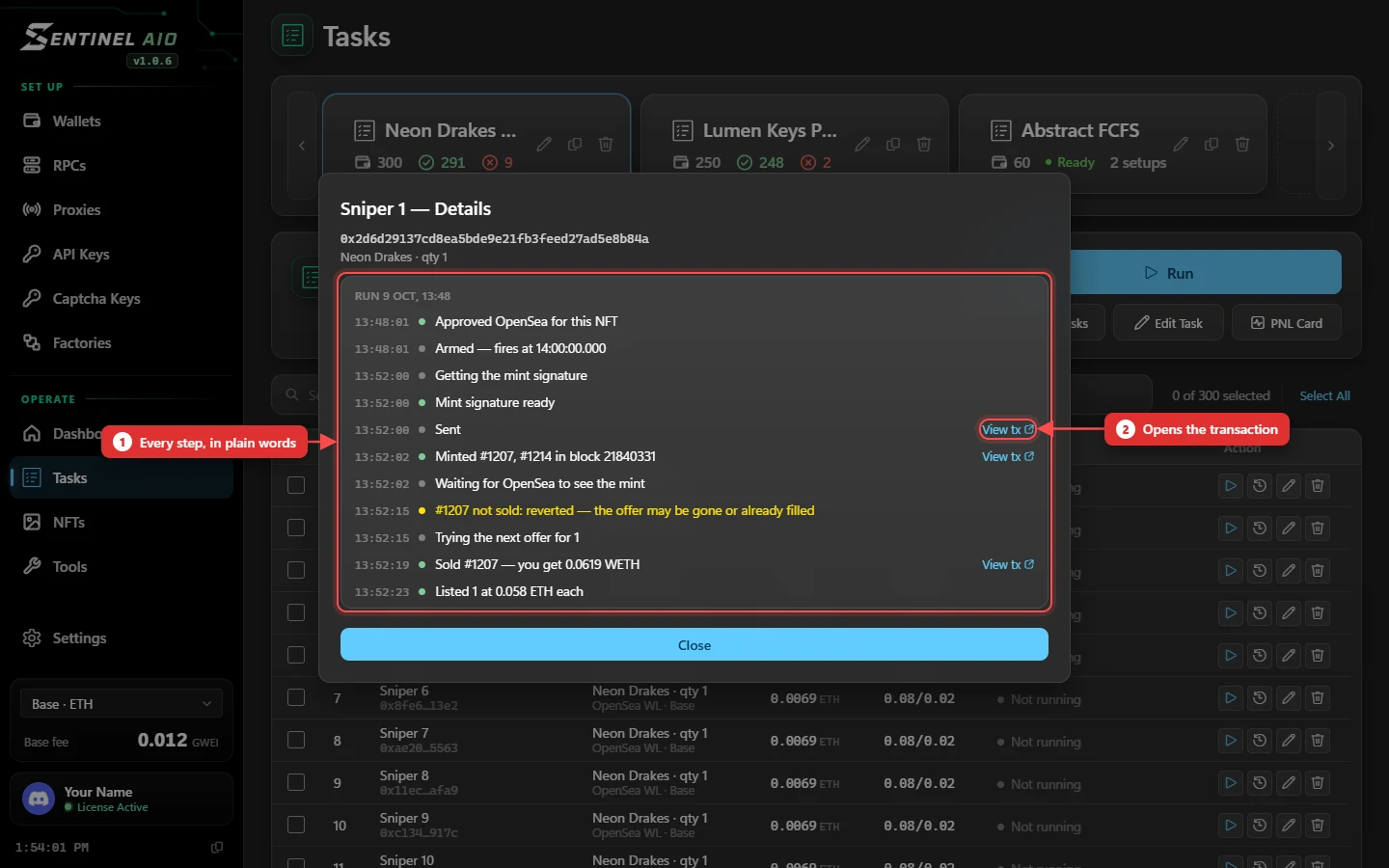
The Details button on a row (the clock icon) shows what happened to that wallet, step by step and run by run: armed, sent, minted which tokens in which block, approved, listed, sold — or why not. Lines with a transaction have a View tx link. It fills in live while open, and is kept after a restart.
Running
- Run fires the whole card. It becomes Cancel while it runs.
- The ▷ on a row fires just that wallet — handy for retrying one without firing the rest.
- Add Tasks adds wallets with a setup; Edit Task changes the setup; tick rows and use Edit Selected to change only some.
- PNL Card turns the last run into a shareable profit card.
Deleting a running task stops it. The app warns you first. Transactions that already went out still land. A wallet row can't be removed while it's running.